

To Our Android Users: A Note on Permissions & UX Improvements Fixing multiple prompts
We're addressing user feedback regarding multiple system prompts (Battery Optimization, Notifications, Consent) during first launch. Learn why these are needed and what we're doing to make the onboarding experience smoother and less 'scary'.
To Our Android Users: A Note on Permissions & UX Improvements Fixing multiple prompts
If you recently downloaded WifiOTT from the Google Play Store, you may have noticed a "busy" experience when first opening the app—specifically, three separate prompts for Consent, Battery Optimization, and Notifications.
We hear you. We know this feels intrusive, and we want to explain why these are needed and how we are fixing the experience.
Why the "Scary" Prompts?
WifiOTT is unique because it transforms your phone into a full-featured streaming server. To make this work reliably, Android requires specific permissions:
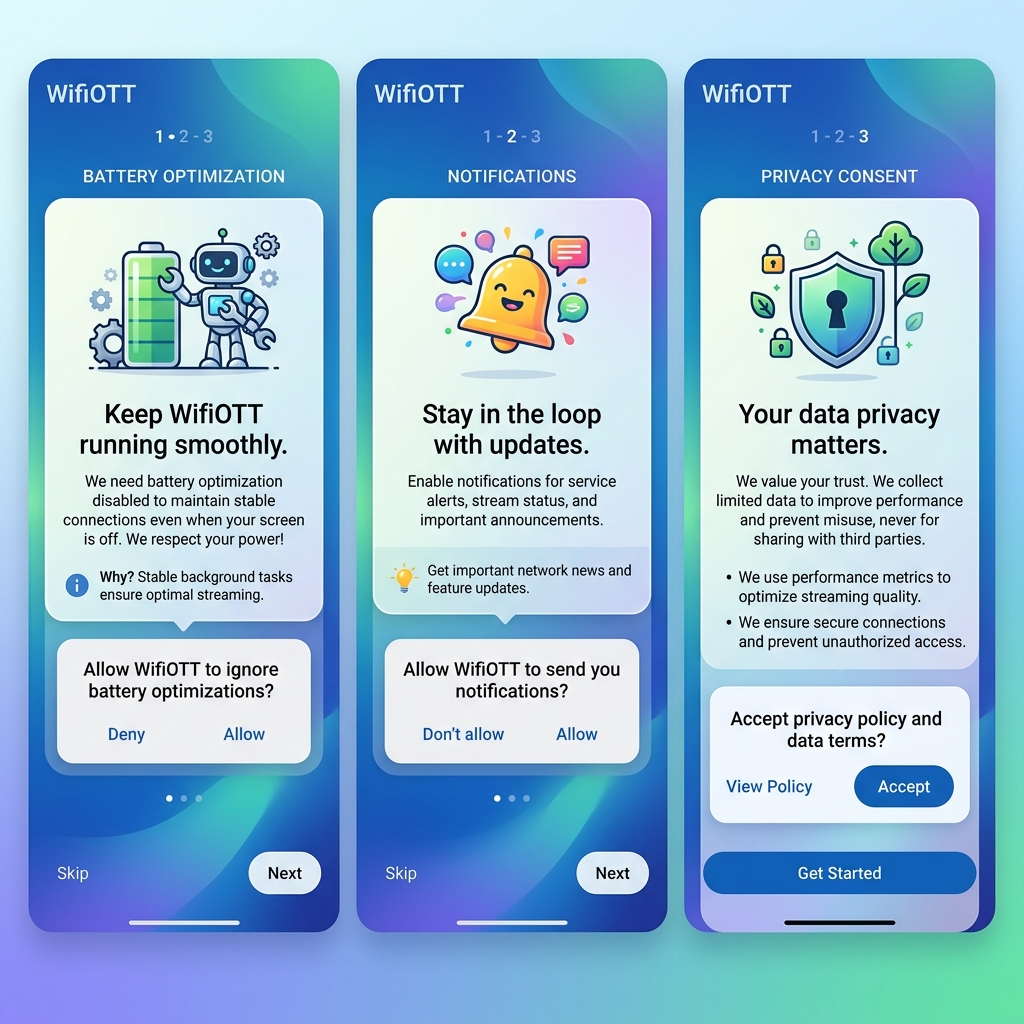
Battery Optimization (Background Execution): Android's "Battery Saver" often kills background apps when the screen is turned off. For a streaming app, this would mean your movie stops playing on the TV the moment your phone screen goes dark. By "ignoring optimizations," we ensure your server stays alive while you watch.
Notification Permission: Our app runs a "Foreground Service." This allows you to stop the server or check connection status directly from your status bar without having to find and reopen the app every time.
Privacy Consent (GDPR/CCPA): To keep WifiOTT free for everyone, we use localized ads. We are committed to transparency and data privacy, which requires a one-time setup of your preferences.
Is it safe to accept these prompts now? Yes, it is completely safe. These are standard Android system permissions that allow WifiOTT to function as intended. We only request what is necessary to give you the best streaming experience.
We Are Fixing It! (Update Coming Soon)
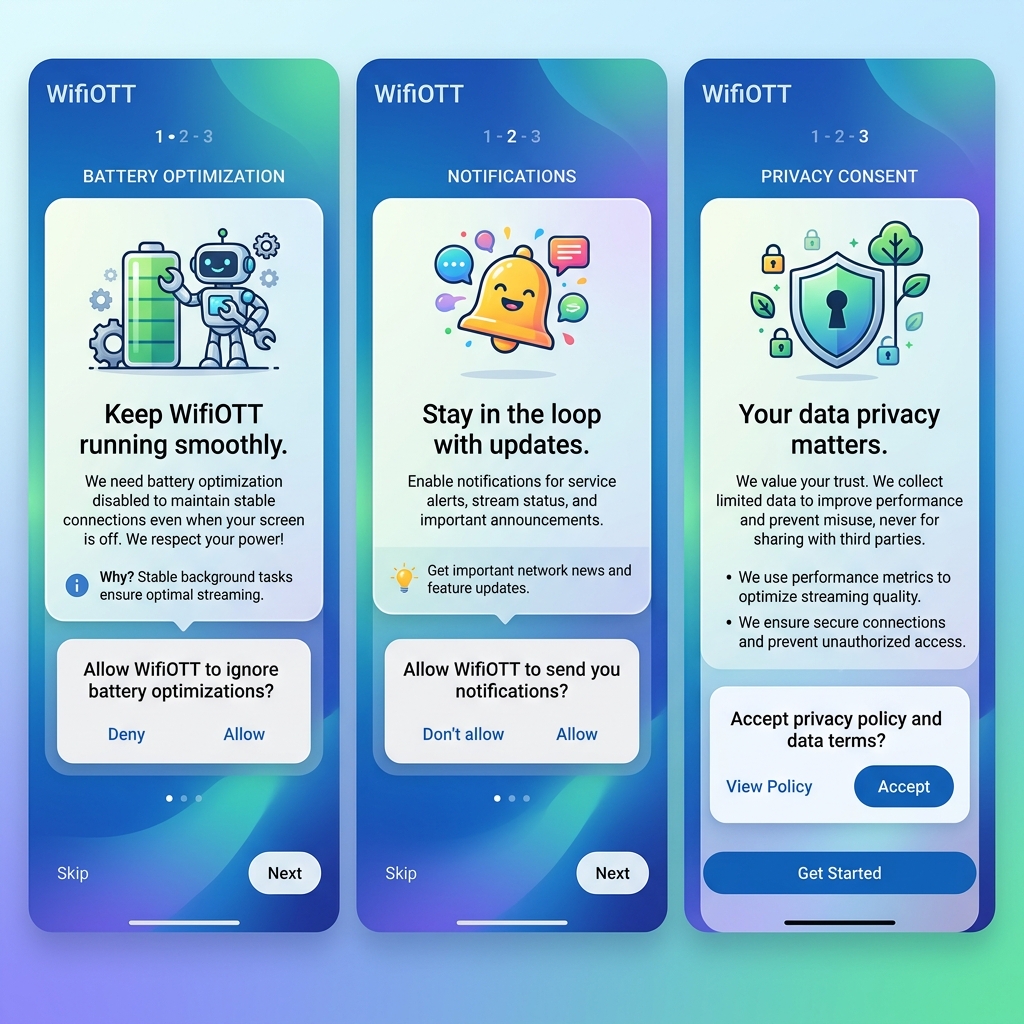
We realize that seeing three system dialogs at once is overwhelming and "scary" for new users. Our team is currently finalizing a major UI update (v1.x) that replaces these dry system prompts with a beautiful, educational onboarding flow.
What to expect in the next 24-48 hours:
- A "Reliability First" Welcome Flow: We will explain exactly why we need background access before the system dialog appears.
- Reduced Friction: You will only see prompts when they are absolutely necessary.
- Improved First-Launch Speed: Getting you to your videos faster.
Thank you for your patience and for being part of the WifiOTT journey. If you stayed through the prompts, you know how powerful local streaming can be—and we're making it easier for everyone else starting tomorrow!
— The WifiOTT Development Team
Download WiFiOTT Free
Stream movies and transfer 10GB+ files offline between Android, PC, TV, and iPhone.
Experience Fast Offline Streaming with WifiOTT
Stream full HD movies and transfer files offline between any devices on your local Wi-Fi. Free and private.